Monitoring
Configure monitoring and analytics tools for your application.
Google Analytics
Prerequisite: You need to have a Google account.
Google Analytics is a web analytics service that tracks and reports website traffic, user behavior, and conversion metrics.
Create analytics account
Create a new analytics account via the admin panel.
- Fill in the details of your service/application
- Define business details and objectives
- Enter your website URL
- Choose Web as platform
- Select all enhanced measurements
Copy your Measurement ID.
Add to local env
Add the following to your .env file:
NEXT_PUBLIC_GA_MEASUREMENT_ID=G-XXXXXXXXXXAdd to production env
Add the following to your .env.production file:
NEXT_PUBLIC_GA_MEASUREMENT_ID=G-XXXXXXXXXXGoogle Tag Manager
Prerequisite: You need to have a Google account.
Google Tag Manager is a tag management system that allows you to manage and deploy marketing tags and tracking scripts without modifying code.
Create tag manager account
Create a new tag manager account via the Google Tag Manager admin panel.
Add the following to your .env file:
- Give a name to your account
- Give a name to the container and select target platform Web
Get container ID
Copy your Container ID from the code shown in the overlay.
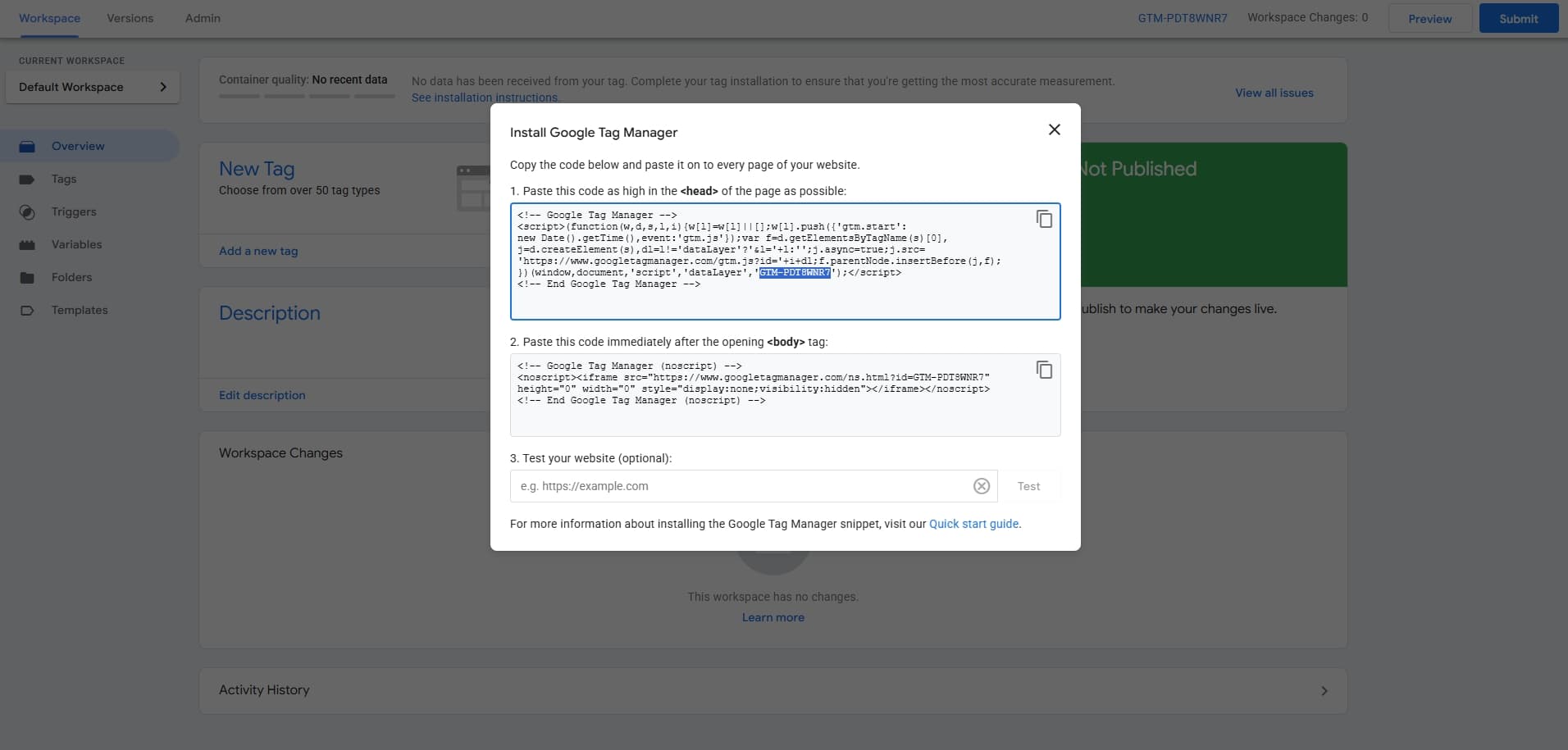
Add to local env
Add the following to your .env file:
- Close the overlay and click Submit CTA top right of the screen
- Then Publish
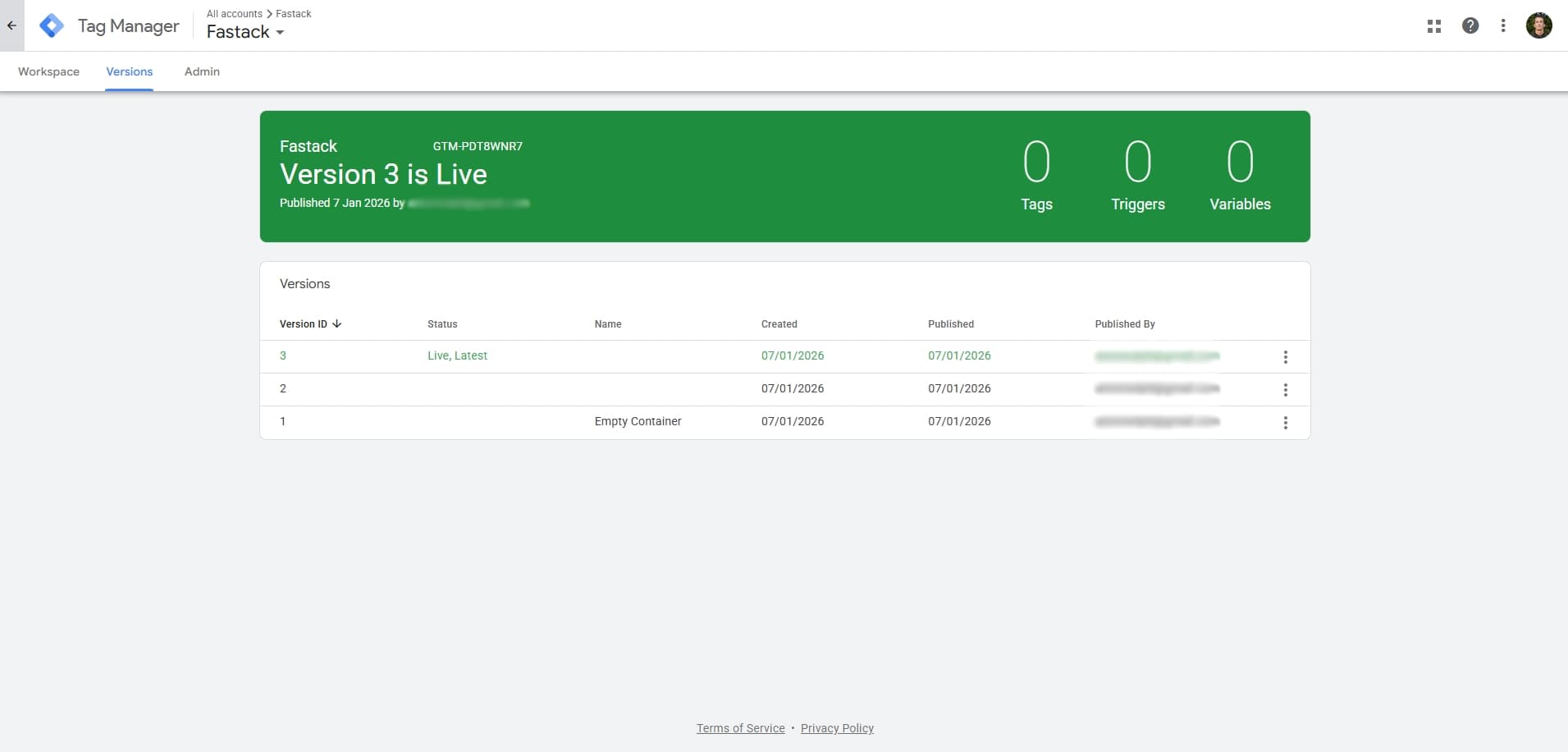
Add to local env
Add the following to your .env file:
NEXT_PUBLIC_GOOGLE_TAG_MANAGER_ID=GTM-XXXXXXXAdd to production env
Add the following to your .env.production file:
NEXT_PUBLIC_GOOGLE_TAG_MANAGER_ID=GTM-XXXXXXXPostHog
PostHog is an open-source product analytics platform that helps you track user behavior, feature flags, session recordings, and A/B testing.
Create account
Sign up at posthog and verify your account.
Add to local env
Add the following to your .env file:
- Select all options in the configure step
- Enable session reply
- Skip data import
- Select free plan
- Enable PostHog AI
- Invite other members if required
Copy your Project API Key and host URL.
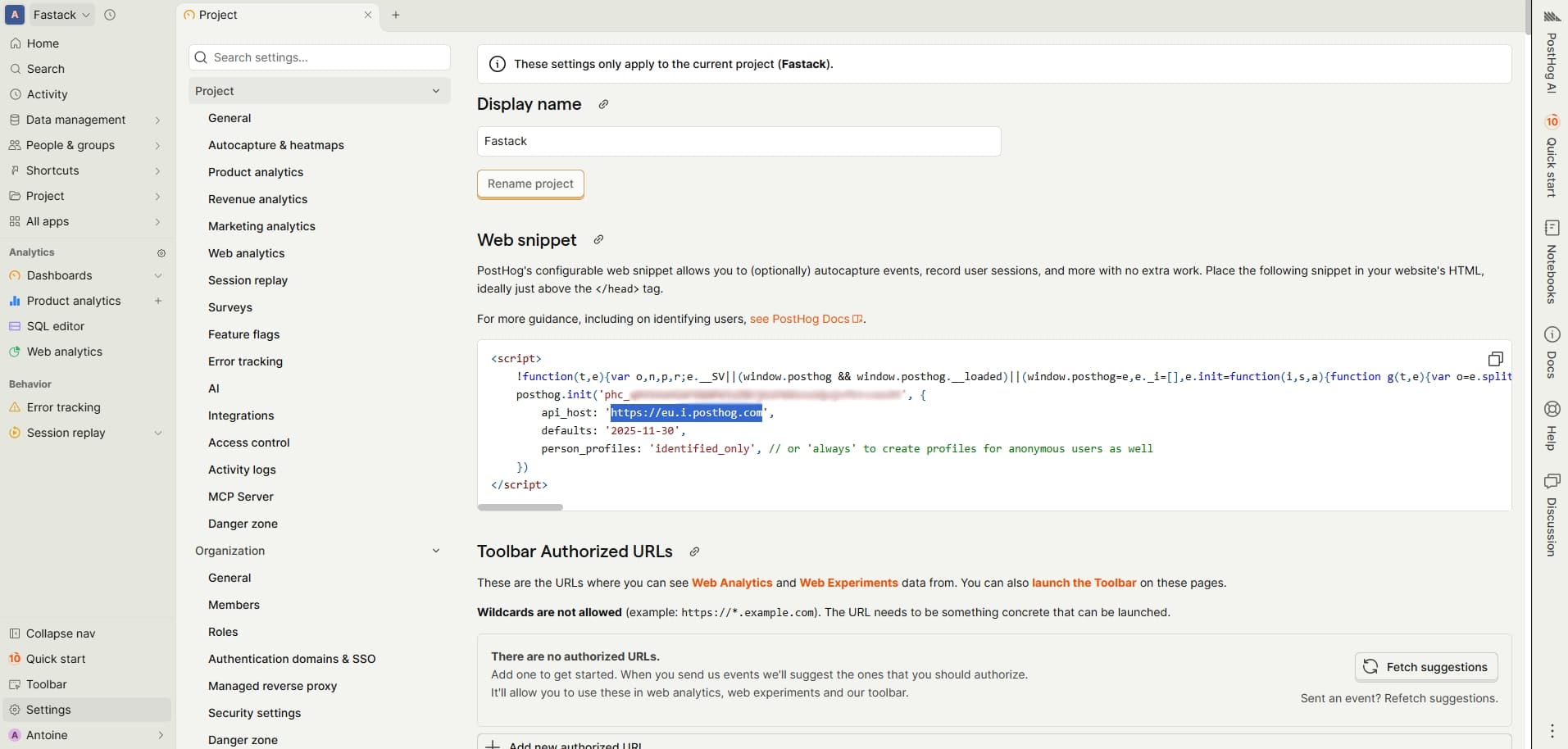
Add to local env
Add the following to your .env file:
NEXT_PUBLIC_POSTHOG_KEY=phc_xxxxxxxxxxxxxxxxxxxxxxxxxxxxxxxx
NEXT_PUBLIC_POSTHOG_API_HOST=https://us.i.posthog.com
Add to production env
Add the following to your .env.production file:
NEXT_PUBLIC_POSTHOG_KEY=phc_xxxxxxxxxxxxxxxxxxxxxxxxxxxxxxxx
NEXT_PUBLIC_POSTHOG_API_HOST=https://us.i.posthog.com
Axiom
Axiom is a log management and analytics platform that allows you to ingest, store, and query large volumes of log data in real-time.
Create account
Sign up at axiom and verify your account.
Follow the onboarding and create an organization with edge US East 1 to make sure it includes all ingest options.
Create local dataset
Create a new dataset named local.
Create a new token and copy it.
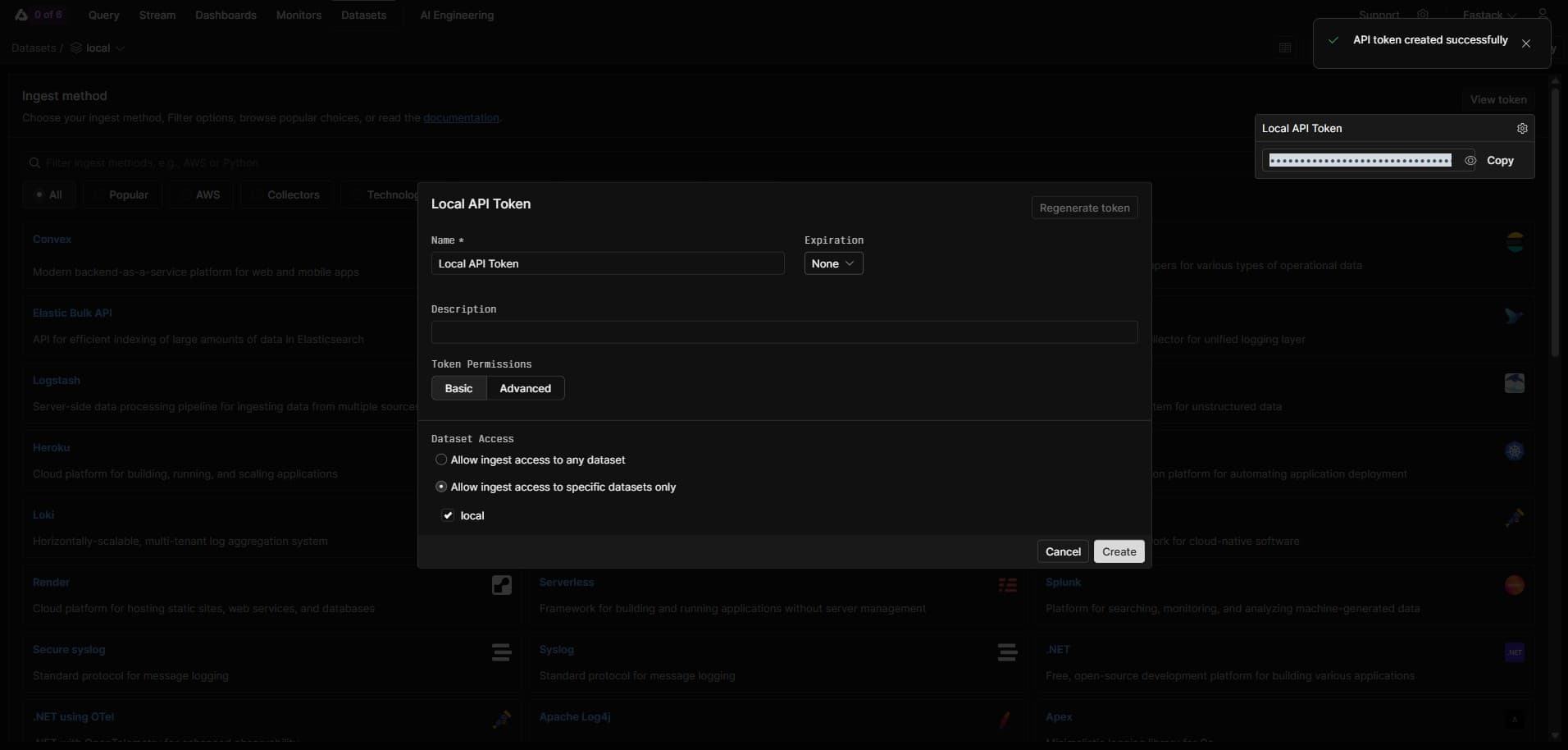
Add to local env
Add the following to your .env file:
AXIOM_API_TOKEN=xaat-xxxxxxxxxxxxxxxxxxxxxxxxxxxxxxxx
AXIOM_DATASET=local
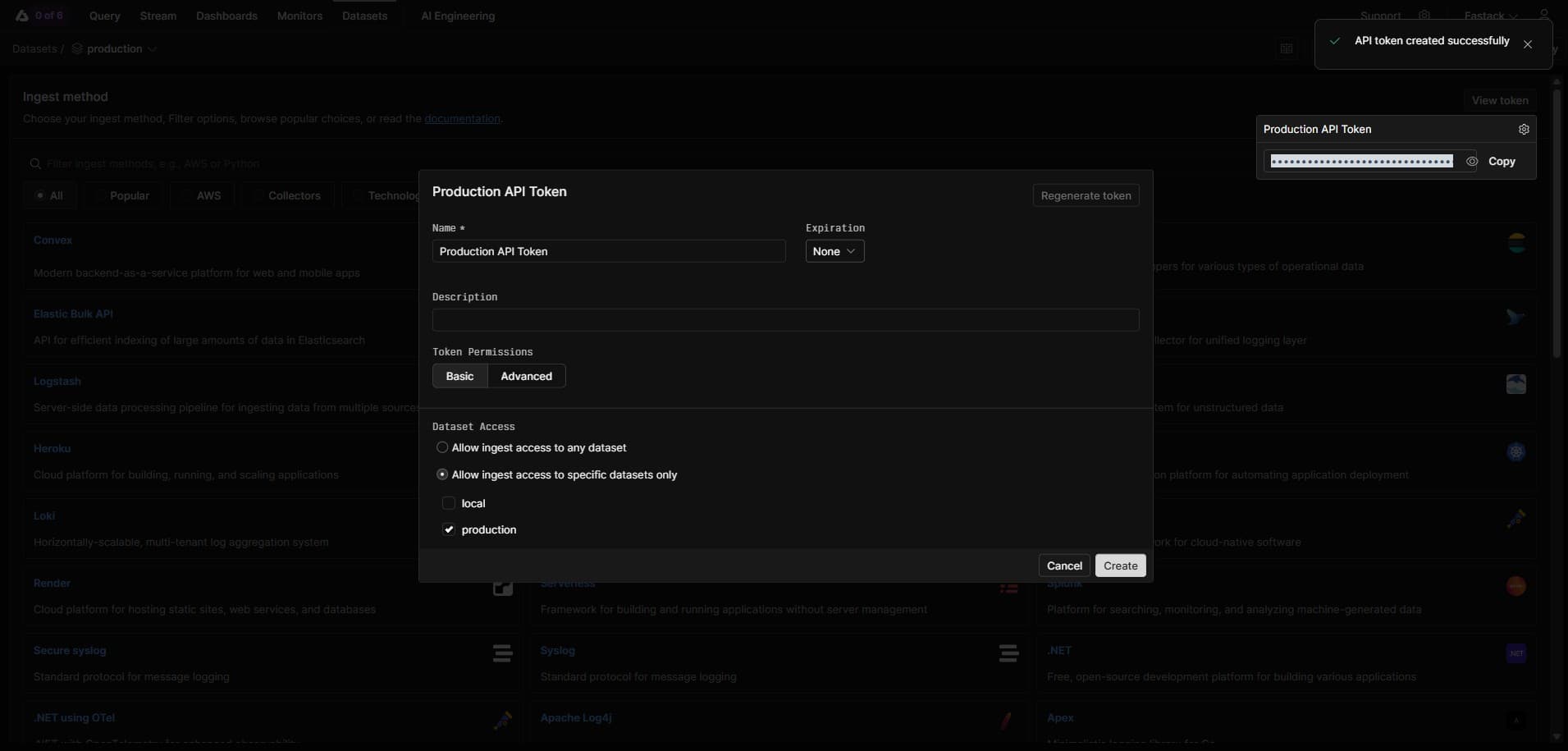
Create production dataset
Create a new dataset named production.
Create a new token and copy it.
Add to production env
Add the following to your .env.production file:
AXIOM_API_TOKEN=xaat-xxxxxxxxxxxxxxxxxxxxxxxxxxxxxxxx
AXIOM_DATASET=production