Configure email sending using Resend or AWS SES.
Resend offers an easier setup process with a user-friendly interface, while AWS SES provides a more cost-effective solution for higher email volumes.
Resend
Prerequisite: You need to own a domain.
Create account
Sign up at resend and verify your account.
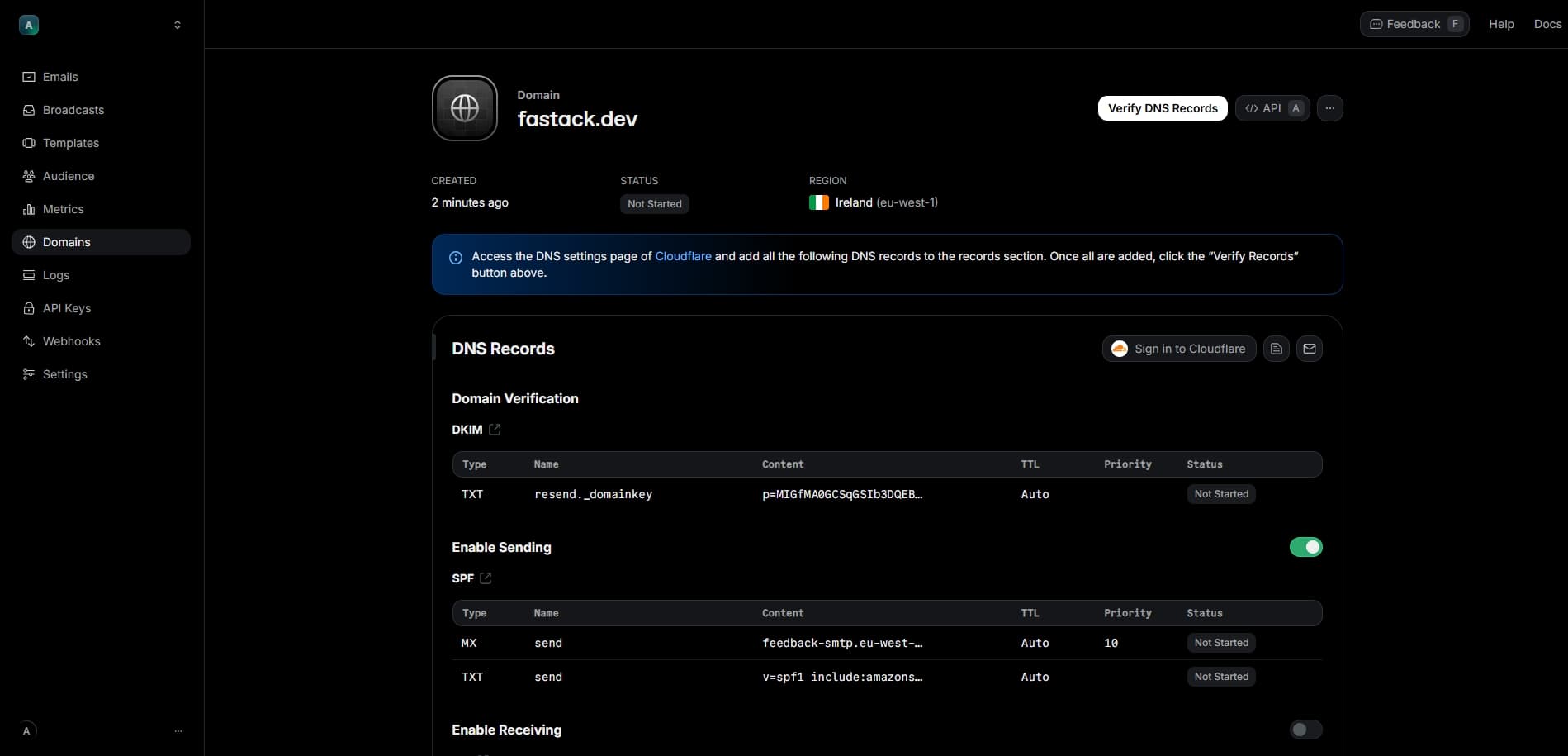
Verify your domain
Verify your domain by adding a domain record.
Sign in to your domain host (such as Cloudflare) to setup DNS changes. This step will allow Resend to make the necessary DNS updates.
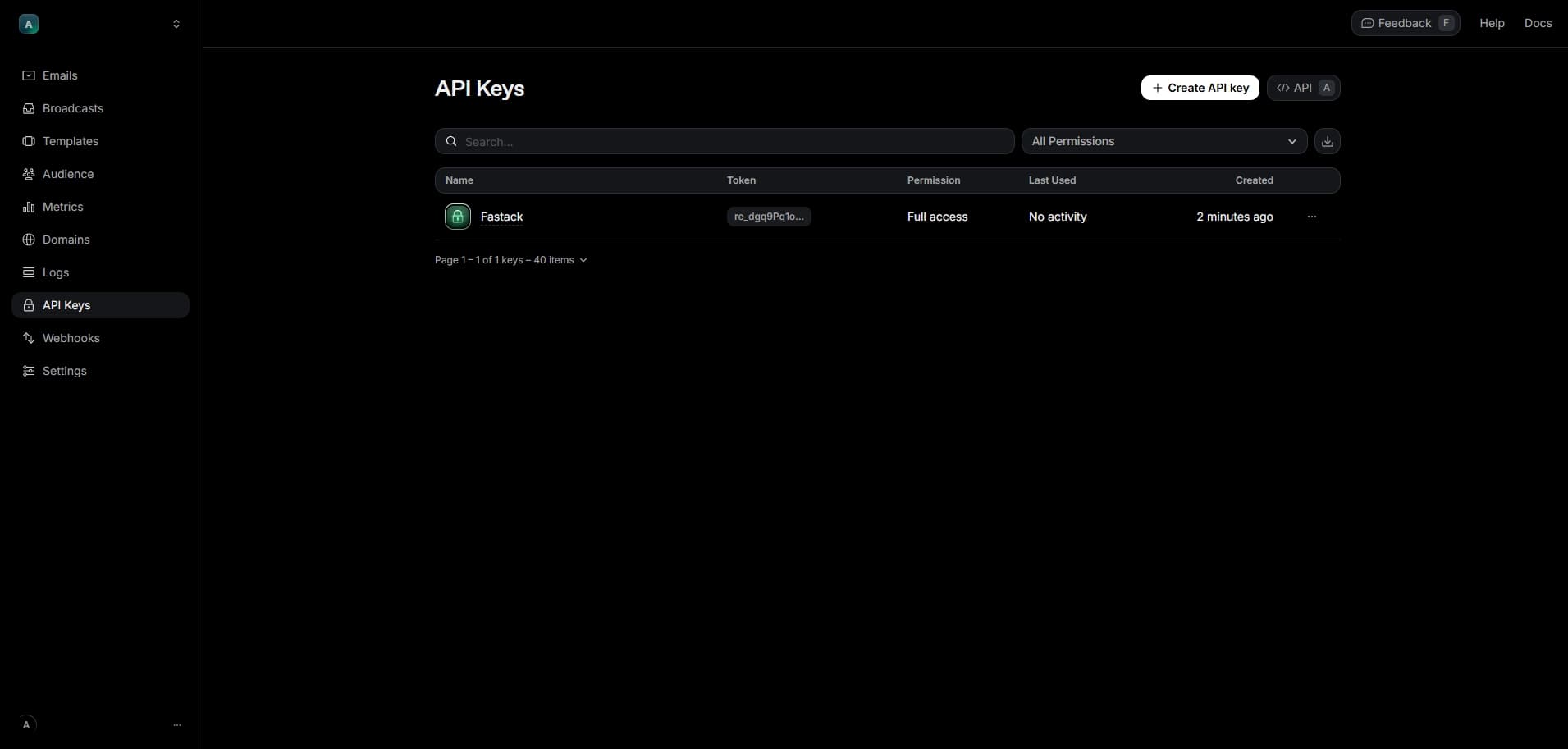
Add to local env
Add the following to your .env file:
RESEND_API_KEY=re_xxxxxxxxxxxxxxxxxxxxx
[email protected]
EMAIL_FROM_NAME=Your App Name
Add to production env
Add the following to your .env.production file:
RESEND_API_KEY=re_xxxxxxxxxxxxxxxxxxxxx
[email protected]
EMAIL_FROM_NAME=Your App Name
AWS SES
Prerequisite: You need to own a domain.
Create account
Sign up at AWS and verify your account.
Configure SES
Go to AWS SES console to get setup.
- Add your (personal) email address
- Add your sending domain and select 'Use default MAIL FROM domain'
- Disable virtual deliverability manager
- Disable managed dedicated IPs
- Disable tenant management
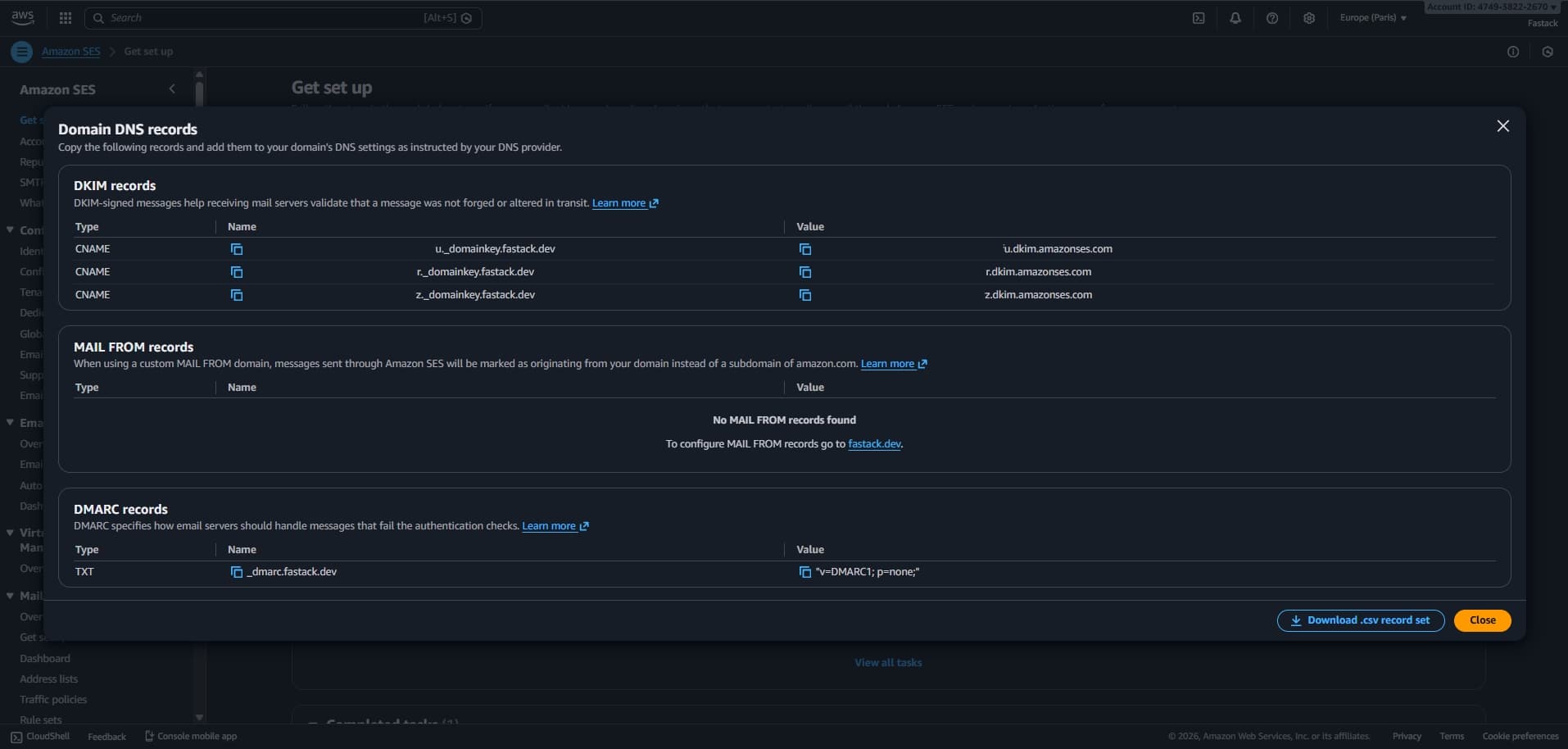
- Get DNS Records. Sign in to your domain host (such as Cloudflare) to setup DNS changes.
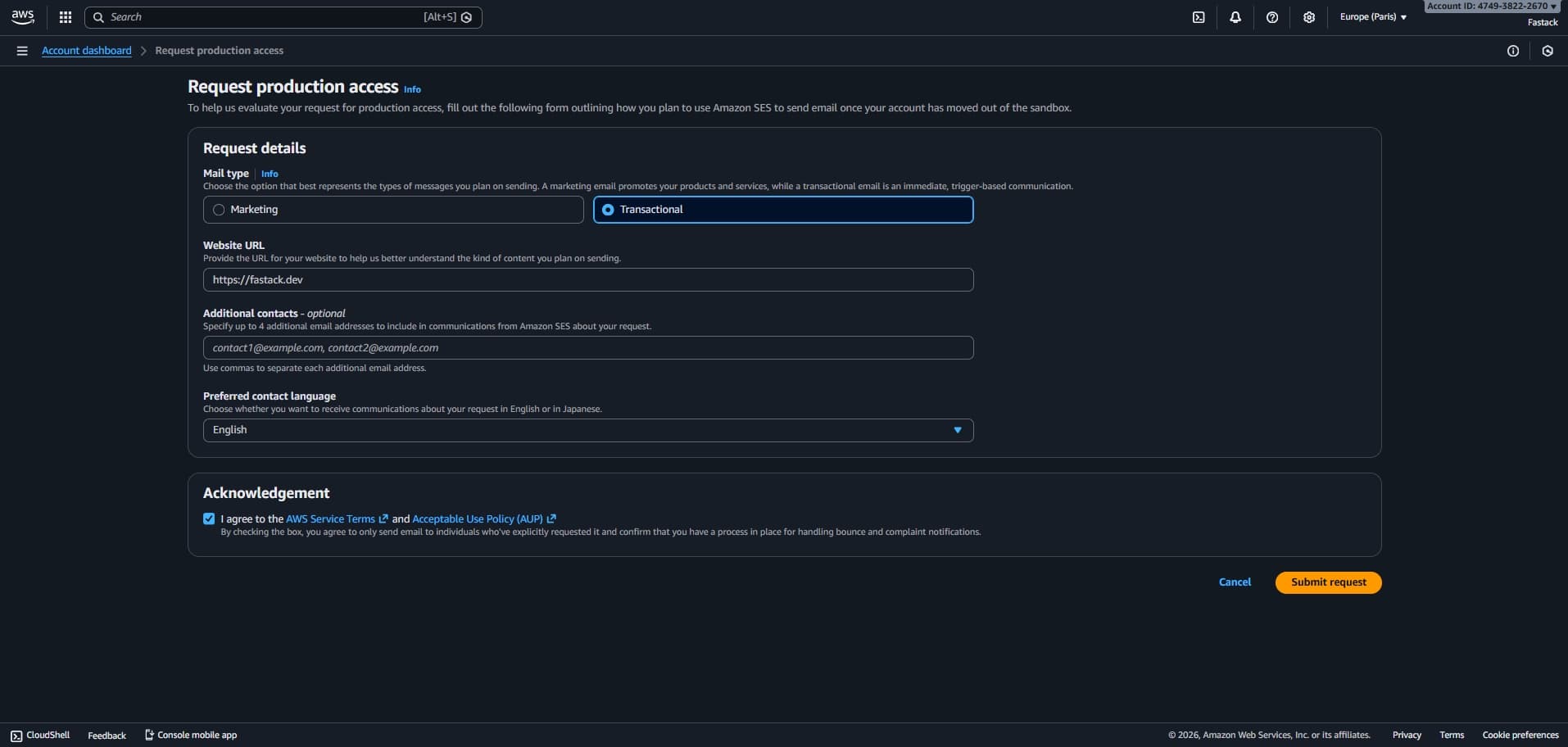
Request production access
To send emails to any email address, you will need to request production access. Then, wait a few days for approval.
Reply to support case
After requesting production access, AWS will create a support case. Go to AWS Support Case History and reply to the "SES: Production Access" support case with a brief explanation of your use case. Here's an example message:
Hi,

I'm planning to use Amazon SES to send noreply emails such as "Confirm your email", "Password forgotten", etc.
At the moment I'm using another email service but I'm not convinced by their support.
I'll be sending about 10-100 emails per day.

Kind regards,

Antoine
Create IAM user
Go to AWS IAM and create a new user.
- Specify user name such as 'ses-email-sender'
- Select 'Attach policies directly' and select 'AmazonSESFullAccess' from the permissions policies.
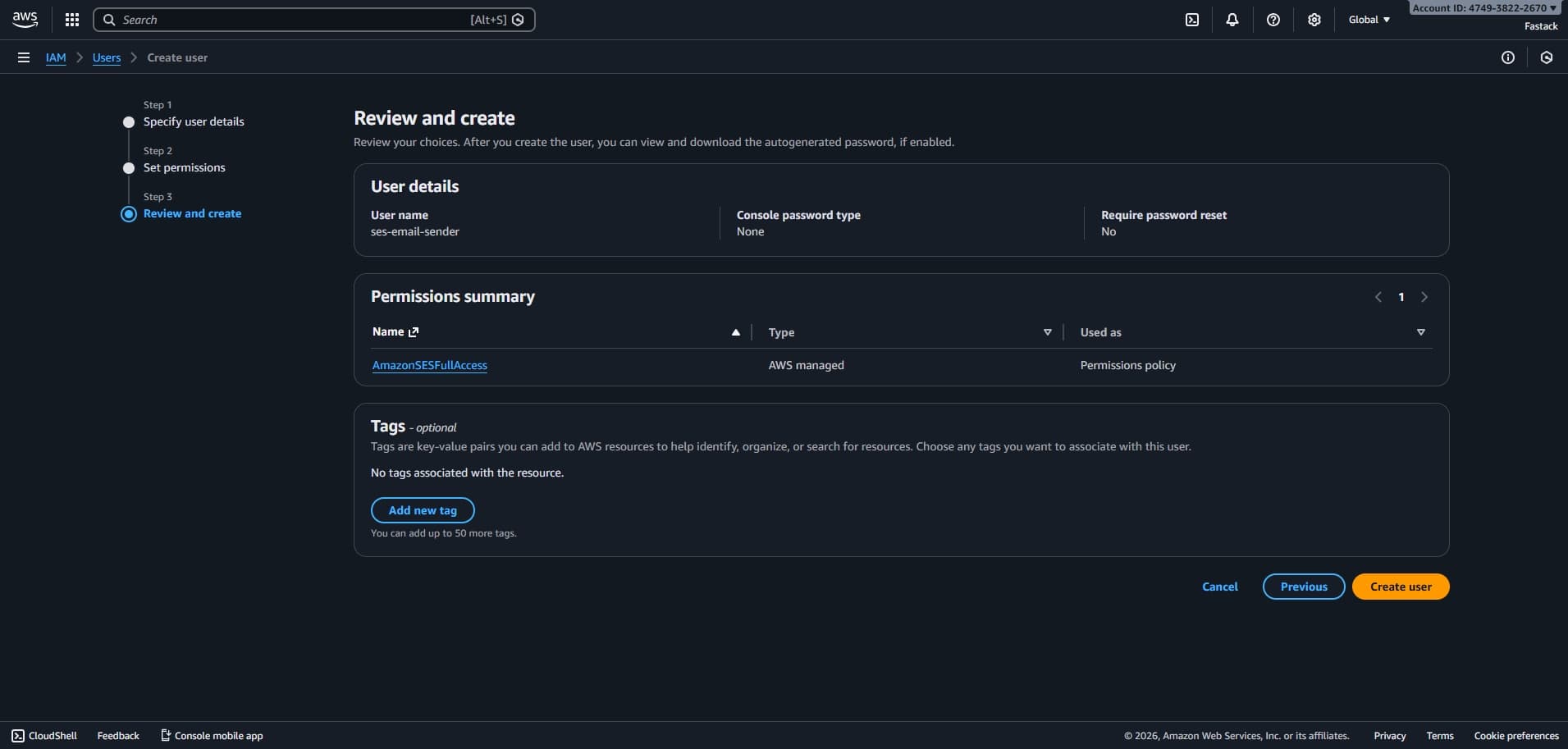
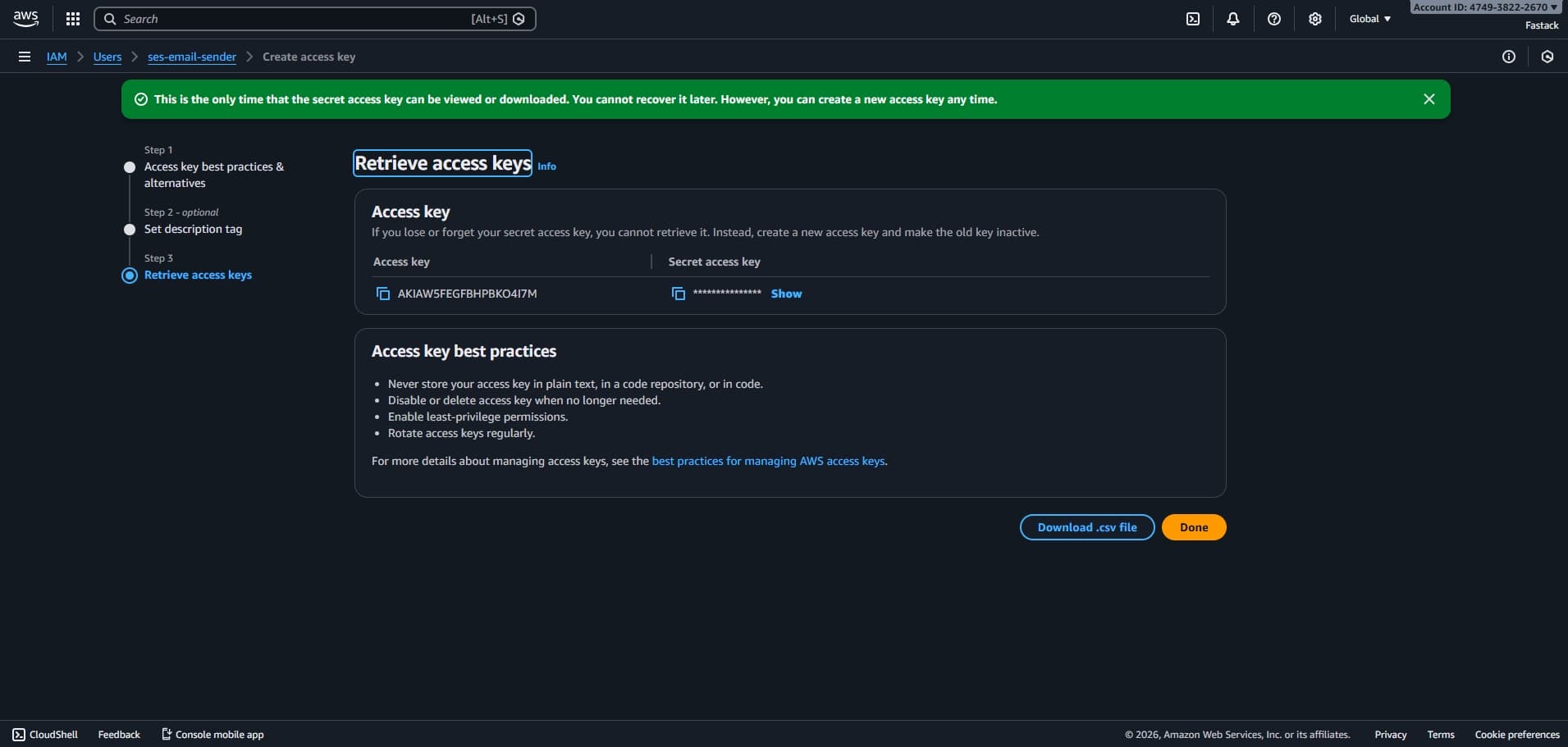
Go to your newly created user and create an access key.
- Select 'Application running outside AWS'
- Copy your access key and secret access key
Add to local env
Add the following to your .env file:
AWS_REGION=eu-west-3
AWS_ACCESS_KEY_ID=your-access-key-id-here
AWS_SECRET_ACCESS_KEY=your-secret-access-key-here
[email protected]
EMAIL_FROM_NAME=Your App Name
Add to production env
Add the following to your .env.production file:
AWS_REGION=eu-west-3
AWS_ACCESS_KEY_ID=your-access-key-id-here
AWS_SECRET_ACCESS_KEY=your-secret-access-key-here
[email protected]
EMAIL_FROM_NAME=Your App Name